
Quotes
A quote the customer opens on their phone
Lines, prices and VAT if you are registered. The customer gets a link, answers with one tap, and you see when it was opened.
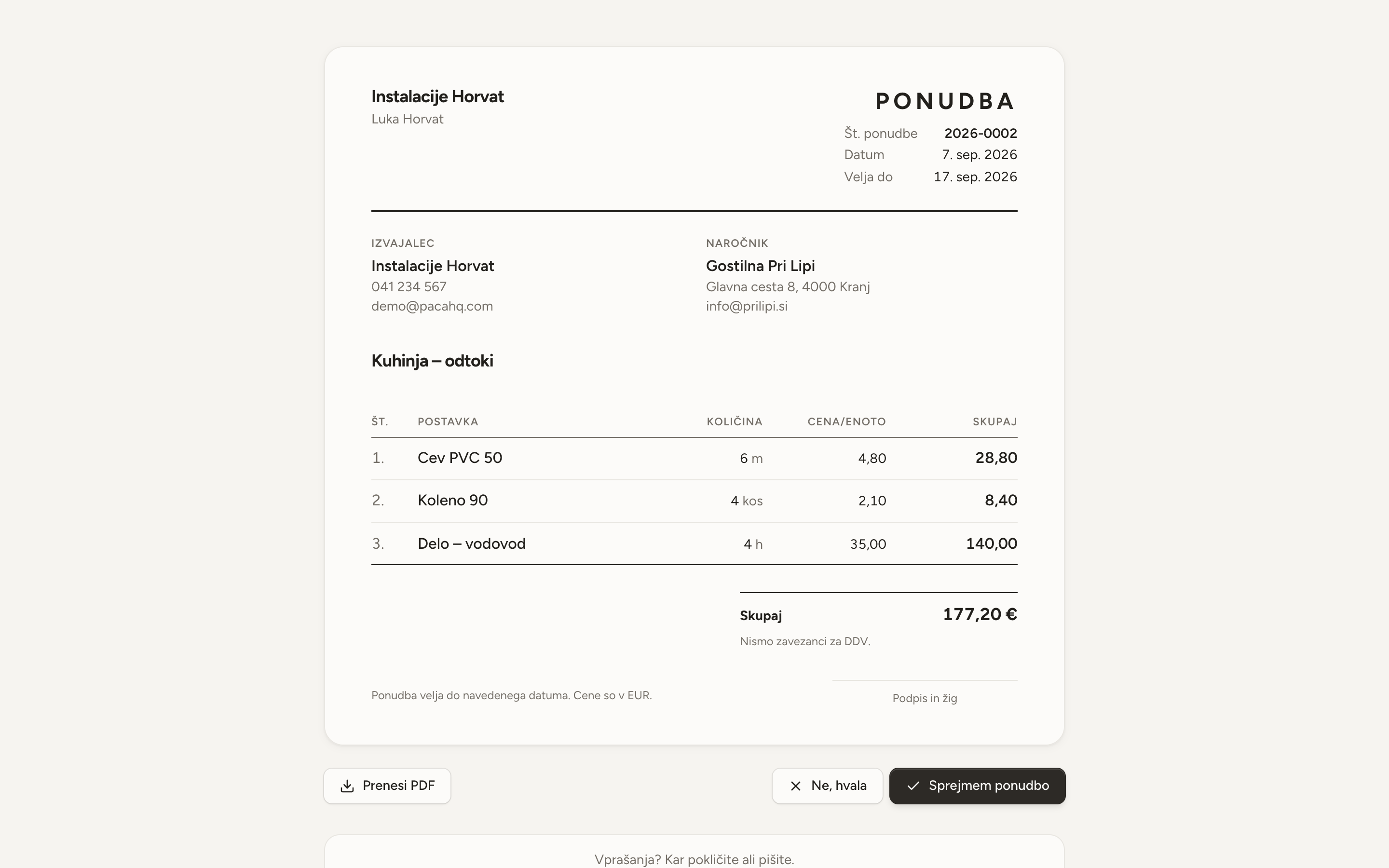
- The price is always yours
- No line has a price until you type one. The app shows what you charged for that item last time; you decide whether to use it.
- A link, not an attachment
- The customer opens the quote without signing in, on a phone or a computer, and accepts or declines with one tap.
- You see when it was opened
- When the customer opens the quote, Sent turns into Viewed. You know when it is time to call.
- Sent stays as it was
- A sent quote cannot be edited. A new version is a copy with a new number; the old one stays readable.
- From accepted quote to job
- Turn an accepted quote into a job with one click. The lines go onto the materials list; the prices stay on the quote.
What the customer sees
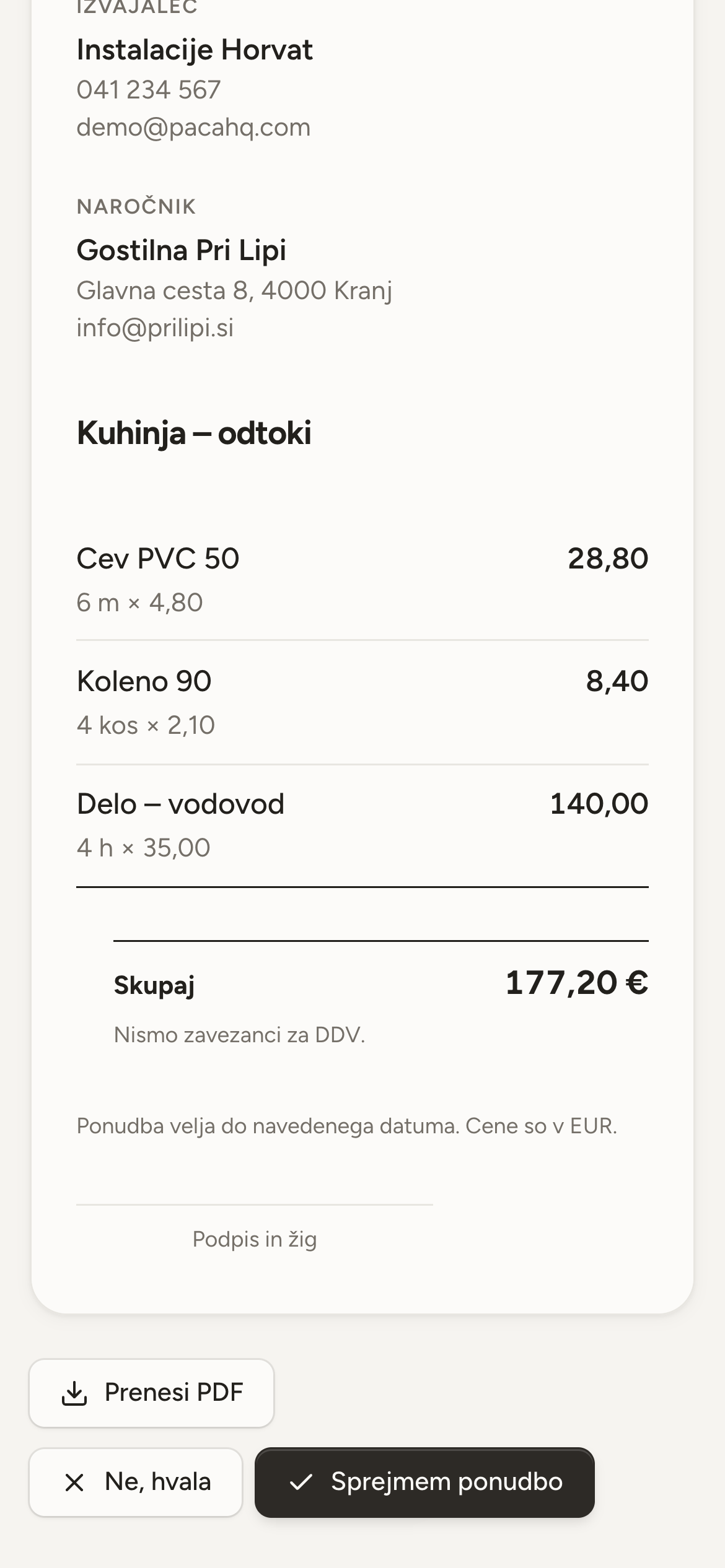
The quote opens as a page with your logo, the lines and the total. The customer prints it or saves it as a PDF straight from the browser. If they do not answer, you find it under Waiting for an answer.
- Your logo and workshop details on every quote.
- VAT is printed only if you are registered.
- Quotes about to expire have their own tab.

Start with next week
Open an account without a card, add your first customers and lay out the week.