
Team
The crew knows their day
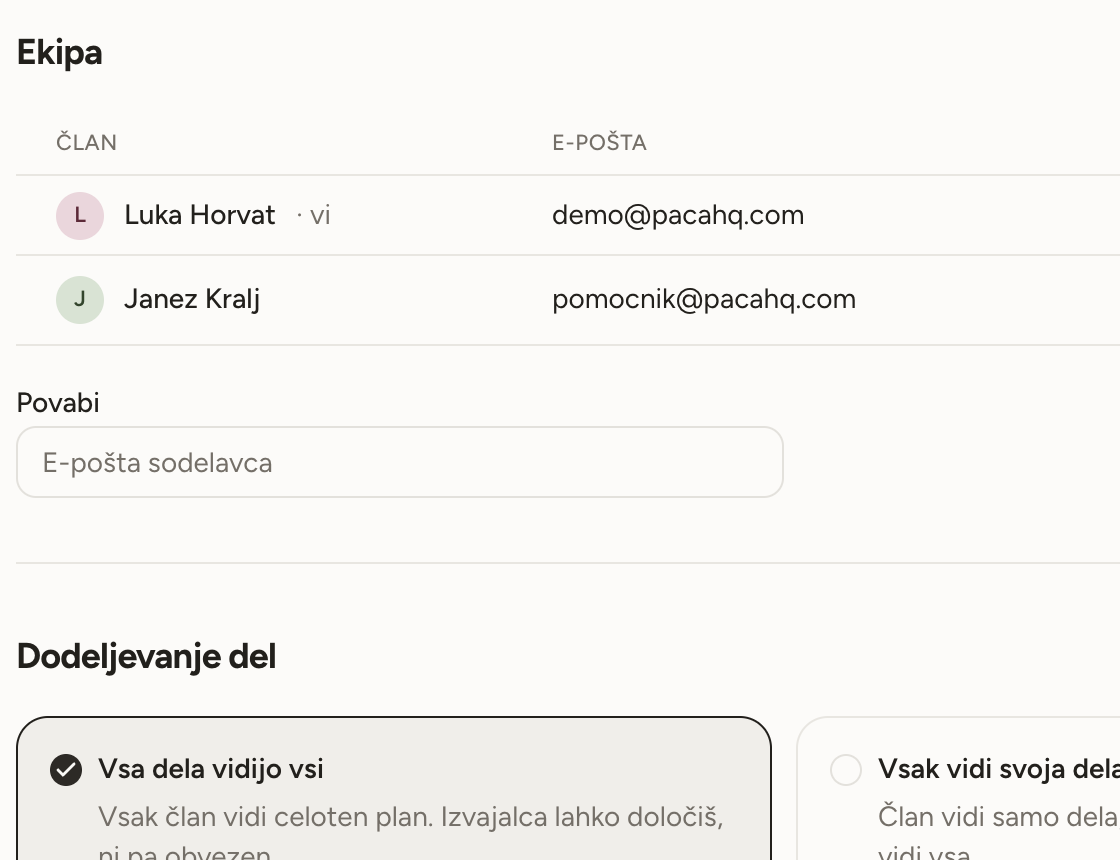
Invite a colleague by email, hand them a job with a tap, and look at the day by person.

- Invite by email
- Enter a colleague's address and they get a link. Once they sign in, they are in your workshop.
- Assign with one tap
- Pick a person on the job. No menus, no extra steps.
- The day, by person
- The day schedule shows each colleague in their own column. Drag a job to another column and you move it and hand it over in one go.
- Everyone sees their own
- Turn it on and each colleague sees only the jobs assigned to them. The owner still sees everything.
- Materials stay with the job
- Anyone who can see a job sees its list and what it used, so a colleague knows what to take and records what they used themselves.
You decide who sees what
By default everyone sees the whole schedule, which is fastest for a small crew. If you would rather each person saw only their own, change it in settings. The app tells you how many jobs have nobody on them before anything is hidden.
- Two options, no complicated permissions.
- Unassigned jobs stay visible to the owner.
- You pay for each colleague separately, and nothing for the first months.
On site
Everything you need on the job
Today's plan, the customer's number and the route there are on your phone. Photos and notes save right away, even in a cellar with no signal.
On siteChatGPT and Claude
Run the workshop by talking
Connect Paca to ChatGPT or Claude. Ask the assistant what's on tomorrow, tell it about a new job or dictate a quote, and it writes it all into Paca, with your rights and nothing more.
AssistantStart with next week
Open an account without a card, add your first customers and lay out the week.