
Customers
Every customer has one file
Contact details, address, every job and site notes in one place.
- One tap to call
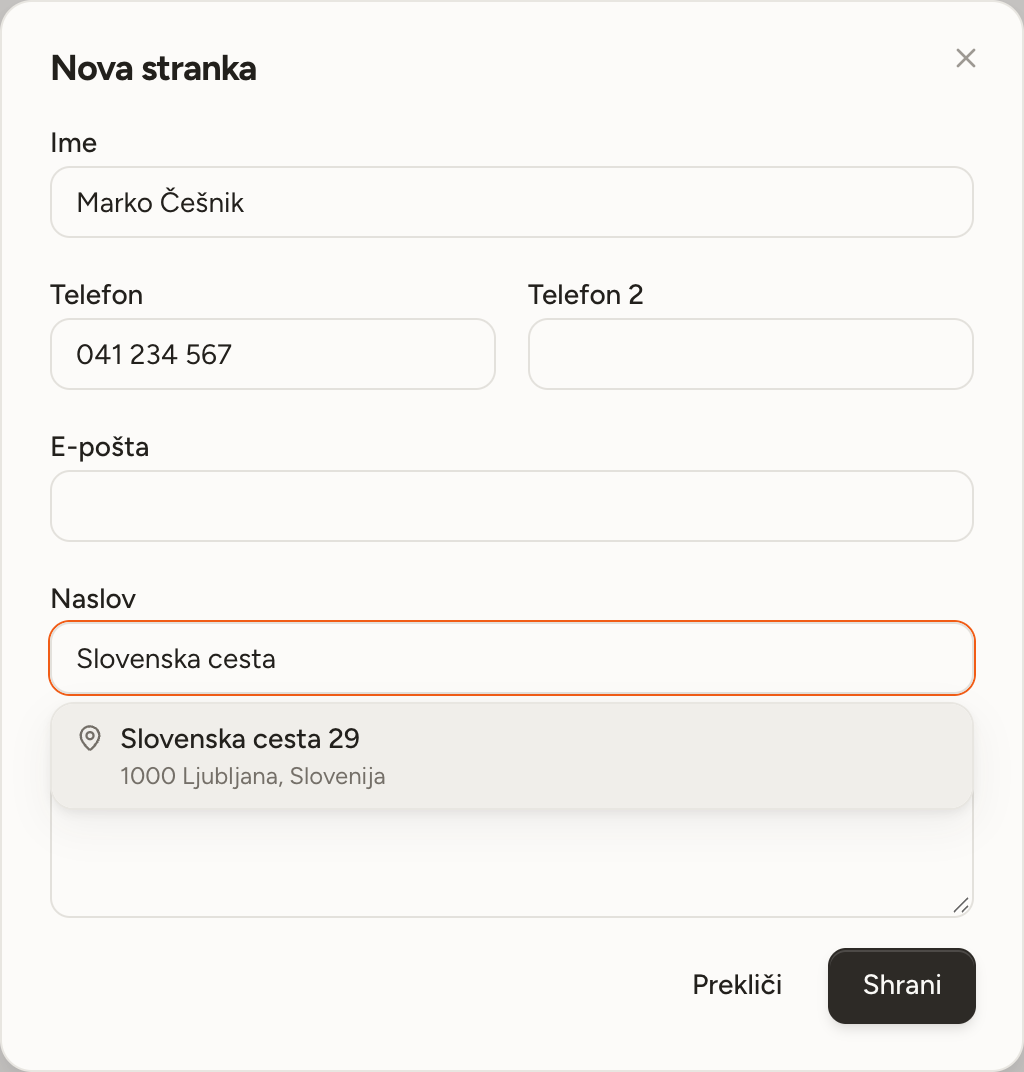
- Two phone numbers, an email and an address. Tap a number to call.
- An address off the map
- Pick the address from the suggestions so navigation takes you to the right door, not the middle of the street.
- Search without accents
- Type cesnik and it finds Češnik. You never have to type the accents.
- The whole history in one place
- With each customer you see the next job, every past job and every note.
- Archive instead of delete
- Archive a customer you no longer work with. The history stays and the list stays tidy.
An address that reaches the door
When you pick an address from the suggestions, it is saved together with its point on the map. Navigation then takes you to that exact point, not the middle of the street.
- Call with one tap, straight from the list.
- Map and navigation with every customer.
- Notes about the customer are always to hand.
Enquiries
Enquiries that do not get lost
Add a form to your website or share a link to it. Every enquiry lands in the app, and you get a notification straight away.
EnquiriesQuotes
A quote from the list you already have
Take a photo of the list from the site visit or upload the bill of quantities, and Paca copies out the lines automatically and suggests your prices. The customer opens the quote on their phone and answers with one tap.
QuotesStart with next week
Open an account without a card, add your first customers and lay out the week.