Enquiries
Enquiries that do not get lost
Add a form to your website or share a link to it. Every enquiry lands in the app, and you get a notification straight away.

Try it
Send yourself an enquiry
Fill it in the way a customer would and see what reaches you. Nothing is sent anywhere.
Type the number 041 234 567 and see what happens.
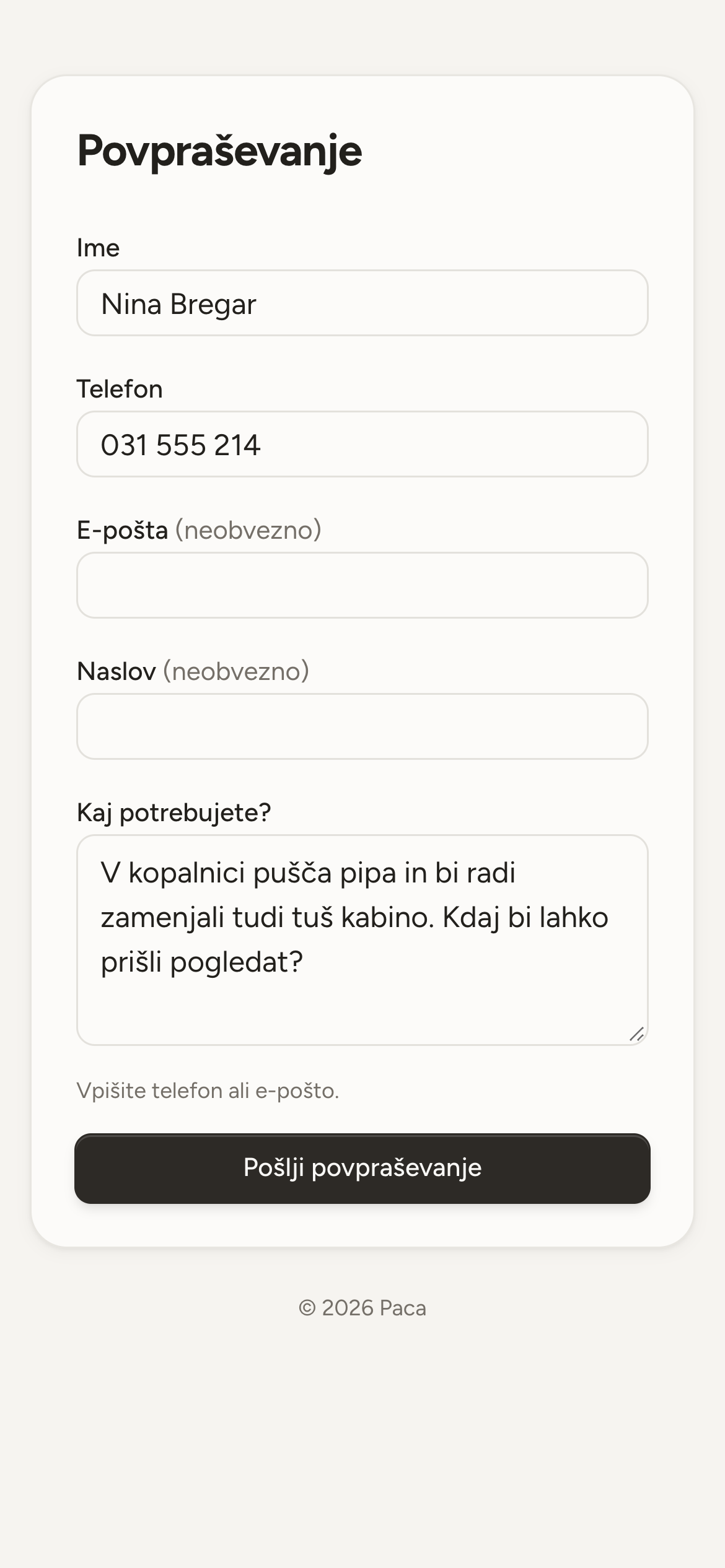
The form, as your customer sees it
In the app
Enquiries
Nina Bregar
The bathroom tap is leaking and we would like a new shower enclosure too.
Bojan Kos
Do you work Saturdays as well?
- A form on your website
- Settings give you the code for your website. You pick the colour and the background, and the form does not slow your site down. It is in Slovenian for now.
- A link for everything else
- No website? You get a link to the form for Facebook, your Google business profile or your email signature. That page speaks the visitor's language.
- A notification straight away
- You get an email for every enquiry, and a phone notification if you want one. You can reply to the customer straight from the email.
- From enquiry to customer
- One click makes a customer, and a draft quote if you want one. Phone, address and message come across, so nothing gets retyped.
- It knows your customers
- If the number or email matches one of your customers, the app tells you. You decide, and it never merges anything by itself.
- Phone calls go on the list too
- An enquiry that comes in by phone, you type in yourself. That way they are all in one place, not half in the app and half on a scrap of paper.
The form, as the customer sees it
Name, phone and what they need. Email and address are optional. If your website has no form, the customer opens it from the link, on a phone or a computer.
- If the form fails to load on your site, the visitor sees a link to it instead.
- You choose which websites the form may run on.
- Opening an enquiry marks it read by itself.

Quotes
A quote from the list you already have
Take a photo of the list from the site visit or upload the bill of quantities, and Paca copies out the lines automatically and suggests your prices. The customer opens the quote on their phone and answers with one tap.
QuotesMaterials
Know what to take, and what you used
Before a job you write down what it will need. When it is done you record what you actually used, in one tap if it went to plan.
MaterialsStart with next week
Open an account without a card, add your first customers and lay out the week.